
How to Set Up a Google Document to Replace Wiki
Step 1
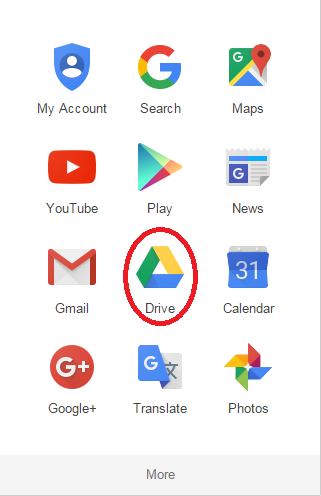
Sign into your google account and click on the  icon next to your picture
Step 2
Click on "Drive"
Step 3
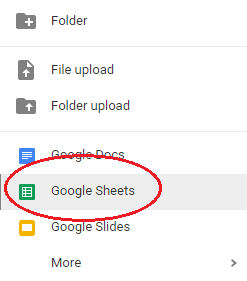
Click on the  button located on the left hand side of the page
Step 4
Select "Google Sheets" from the drop down menu
Step 5
Now you can copy and paste the following into the google sheet:
(Note: Be sure to put an "X" in the slots you are available to meet with the students. The following table is only an example!)
You will meet one on one with your instructor in Lesson 5. Sign up for a day and time to meet.
Be sure to record the appointment to your personal calendar. DO NOT MISS YOUR APPOINTMENT!
To add your name, click the cell below and replace the "X" with your name.
Days Your Instructor is Available -- Note this represents Lesson 06
| Times | Monday | Tuesday | Wednesday | Thursday | Friday | Saturday |
| 10:00 AM | X | |||||
| 10:15 AM | X | X | ||||
| 10:30 AM | X | X | ||||
| 10:45 AM | X | X | ||||
| 11:00 AM | X | X | ||||
| 11:15 AM | ||||||
| 11:30 AM | ||||||
| 11:45 AM | ||||||
| 12:00 PM | X | X | ||||
| 12:15 PM | X | X | ||||
| 12:30 PM | X | X | ||||
| 12:45 PM | X | X | ||||
| 1:00 PM | ||||||
| 1:15 PM | ||||||
| 1:30 PM | ||||||
| 1:45 PM |
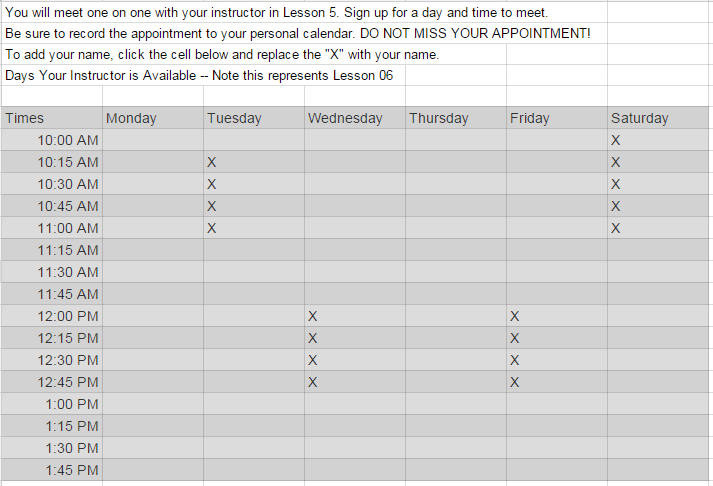
It should look something like this:
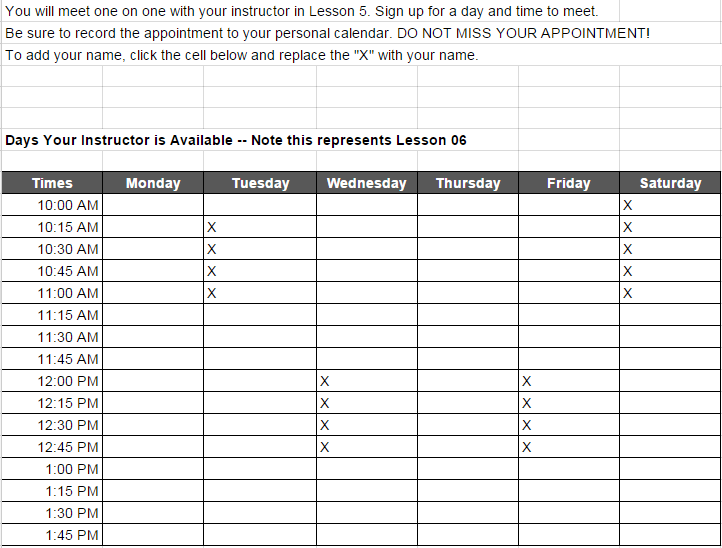
Or this:
Step 6
Title the page "4.03 Interview Sign up". To do this click "Untitled spreadsheet" in the upper left hand corner.

Step 7
Click the  button in the upper right hand corner
Step 8
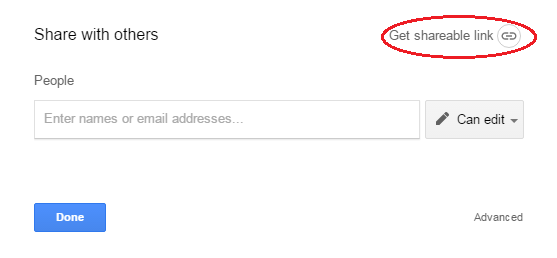
Click "Get shareable link"
Step 9
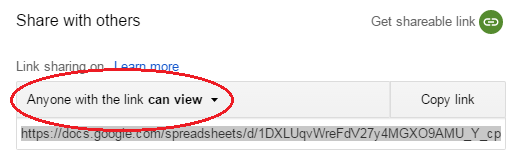
Click the "Anyone with the link can view" button
Step 10
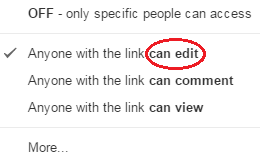
SELECT "can edit" FROM THE DROP DOWN MENU. If you don't do this, the students cannot input their names.
Step 11
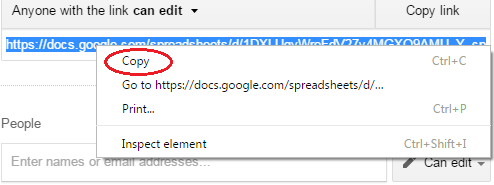
Copy the Link by right-clicking on the link and selecting "copy"
Step 12
You should now be on the page that looks like this:
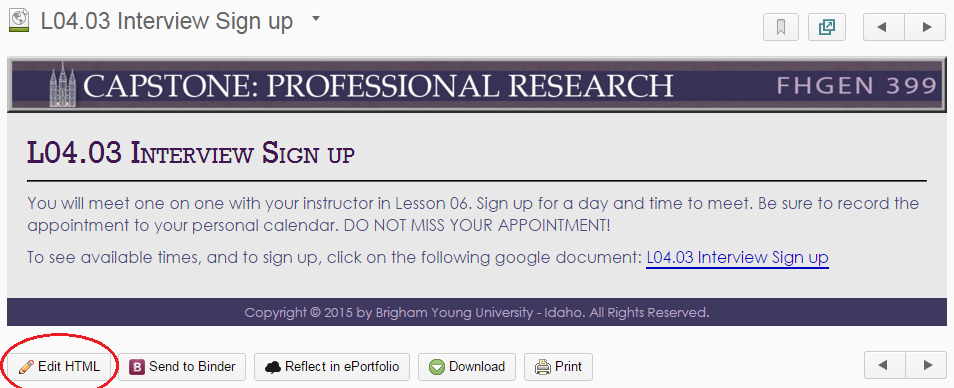
Select "Edit HTML"
Step 13
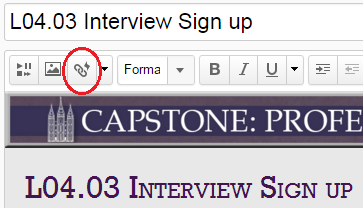
Click the link "L04.03 Interview Sign up"
Now Click the link icon:
Paste the link in the URL address bar and click the bubble next to "New Window" and click update:
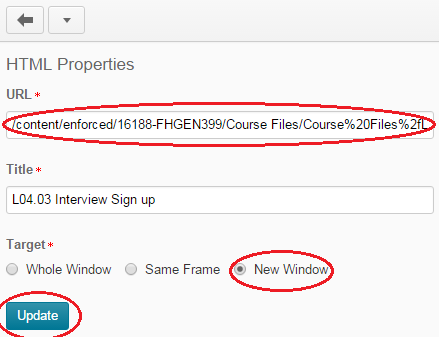
Now click the blue  button at the bottom of the page.
Way to go! You are finished!